glowforge vs cricut: 7 Critical Differences You Must Know for Your DIY Business in 2026
- glowforge vs cricut: 7 Critical Differences You Must Know for Your DIY Business in 2026
- 📋 Key Takeaways
- Table of Contents
- 1. The glowforge vs cricut Debate: Understanding the Technology
- How a Laser Cutter Works
- How a Blade Cutting Machine Works
- Why the Technology Matters for Your Business
- 2. Material Capabilities: What Can You Actually Create?
- Best Materials for Laser Cutting
- Best Materials for Blade Cutting
- The Verdict on Material Versatility
- 3. Software Ecosystems: Design Space vs. Web-Based App
- Navigating the Blade Cutter's Software
- Using the Laser Cutter's Interface
- Designing for Profit
- 4. Pricing, Hidden Fees, and Ongoing Business Costs
- Upfront Investment
- Maintenance and Consumables
- Calculating Your Return on Investment (ROI)
- 5. Speed, Precision, and Production Capacity
- Mass Production Capabilities
- Detail and Accuracy
- Noise, Space, and Ventilation Requirements
- 6. Real-World Business Scenarios: Which One Wins?
- Scenario A: The Apparel and Paper Crafter
- Scenario B: The Premium Decor Maker
- Scaling Your DIY Business in 2026
- 7. The Final Verdict: Making Your Choice in 2026
- Frequently Asked Questions (FAQ)
- Can a Cricut do everything a Glowforge can do?
- Which machine is cheaper to maintain for a business?
- Do I need special ventilation for these machines?
- Is the Glowforge Aura a direct competitor to the Cricut Maker?
- Can I use both machines for the same business?
- Are the software programs free to use?
Imagine setting up your dream DIY workspace. You have the ideas, the passion, and the drive to build a highly profitable online shop. But when it comes to choosing the right equipment, the glowforge vs cricut debate can feel incredibly overwhelming. If you are trying to decide between these two powerhouse machines for your small business, you are definitely not alone.
Listen, I have been exactly where you are right now. Staring at two browser tabs, comparing technical specs until my eyes blurred. Choosing the right crafting machine isn’t just a hobbyist’s dilemma; it is a major financial decision that will dictate your product line, your profit margins, and your daily workflow. In this deep dive into the glowforge vs cricut showdown, we are going to look way beyond the basic marketing hype. We will break down the real-world costs, the actual production speeds, and the hidden limitations of both machines so you can make a smart, profitable choice for your business this year.
📋 Key Takeaways
- The glowforge vs cricut decision ultimately comes down to your target materials: lasers excel at thick wood and acrylic, while blade cutters absolutely dominate vinyl, paper, and apparel.
- Initial investment varies wildly. You can launch a business with a blade cutter for under $300, whereas a commercial-grade laser requires a $1,000 to $6,000+ upfront commitment.
- Production speed is a critical factor for scaling. Lasers offer rapid prototyping for rigid materials, while blade cutters are much faster for mass-producing decals and heat transfers.
- Safety and workspace requirements differ significantly. Lasers need strict ventilation systems to safely handle smoke and fumes, whereas blade cutters can sit quietly on your kitchen table.
1. The glowforge vs cricut Debate: Understanding the Technology
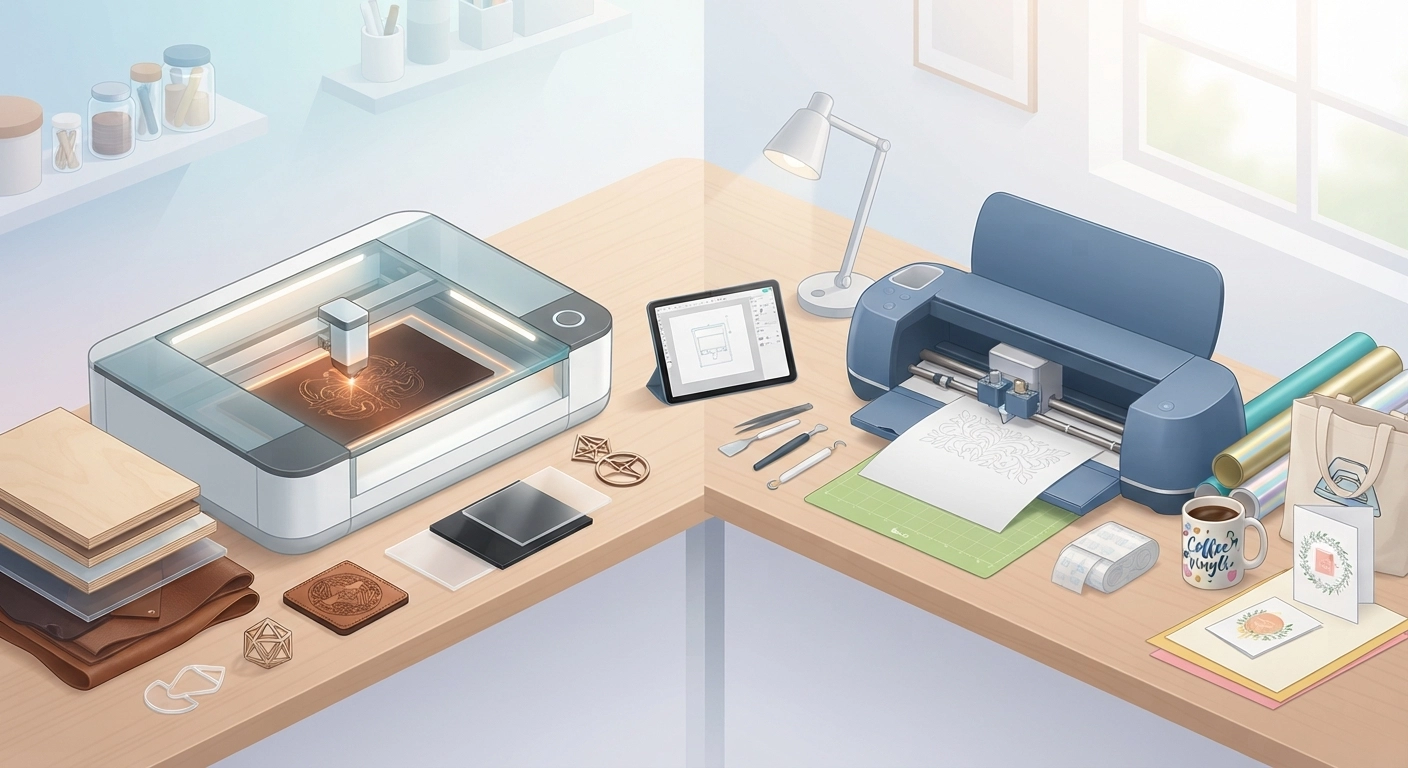
Before you spend a single dollar, you need to understand exactly how these machines operate. They might both be categorized as “cutting machines,” but the technology powering them is completely different. This fundamental difference dictates everything from what you can make to where you can safely place the machine in your home.
How a Laser Cutter Works
A Glowforge operates using laser technology. Depending on the model you buy, it either uses a powerful CO2 laser tube (like the Pro or Plus models) or a diode laser (like the newer, budget-friendly Glowforge Aura). According to laser cutting technology standards, these machines direct a highly focused beam of light to literally burn, melt, or vaporize material.
Here is the beautiful part about lasers: they never physically touch the material. Because there is no physical blade dragging across your workpiece, you don’t have to worry about lightweight materials shifting around. However, because it uses intense heat, it generates smoke, fumes, and debris. You absolutely must vent a laser cutter either out a window or into a specialized, expensive air filter.
How a Blade Cutting Machine Works
On the other side of the glowforge vs cricut comparison, we have blade technology. Machines like the Cricut Maker 3 or Explore 3 use a motorized carriage that drags or rolls a tiny, razor-sharp blade across your material. To keep the material from moving while the blade cuts, you have to stick it down to a tacky adhesive mat.
This technology is incredibly precise for thin materials. It uses different types of blades—like a fine-point blade for vinyl, a rotary blade for fabric, and a knife blade for thicker balsa wood. It is quiet, clean, and requires zero ventilation. You can run it in a tiny apartment at 2 AM without waking up your neighbors or filling the room with smoke.
Why the Technology Matters for Your Business
When evaluating glowforge vs cricut for a business, ask yourself what your workspace looks like. Do you have a dedicated garage or a room with a window for a laser exhaust hose? If not, a high-powered CO2 laser might not be feasible right now. Conversely, if you want to manufacture thick wooden signs, a blade cutter’s slow, multi-pass knife blade will frustrate you and severely limit your production speed.
If you are trying to figure out what to actually sell once you buy your machine, I highly recommend checking out our comprehensive guide on DIY Crafts to Make and Sell: 10 Profitable Ideas for 2026. It is packed with actionable ideas that pair perfectly with both laser and blade cutting machines.
2. Material Capabilities: What Can You Actually Create?
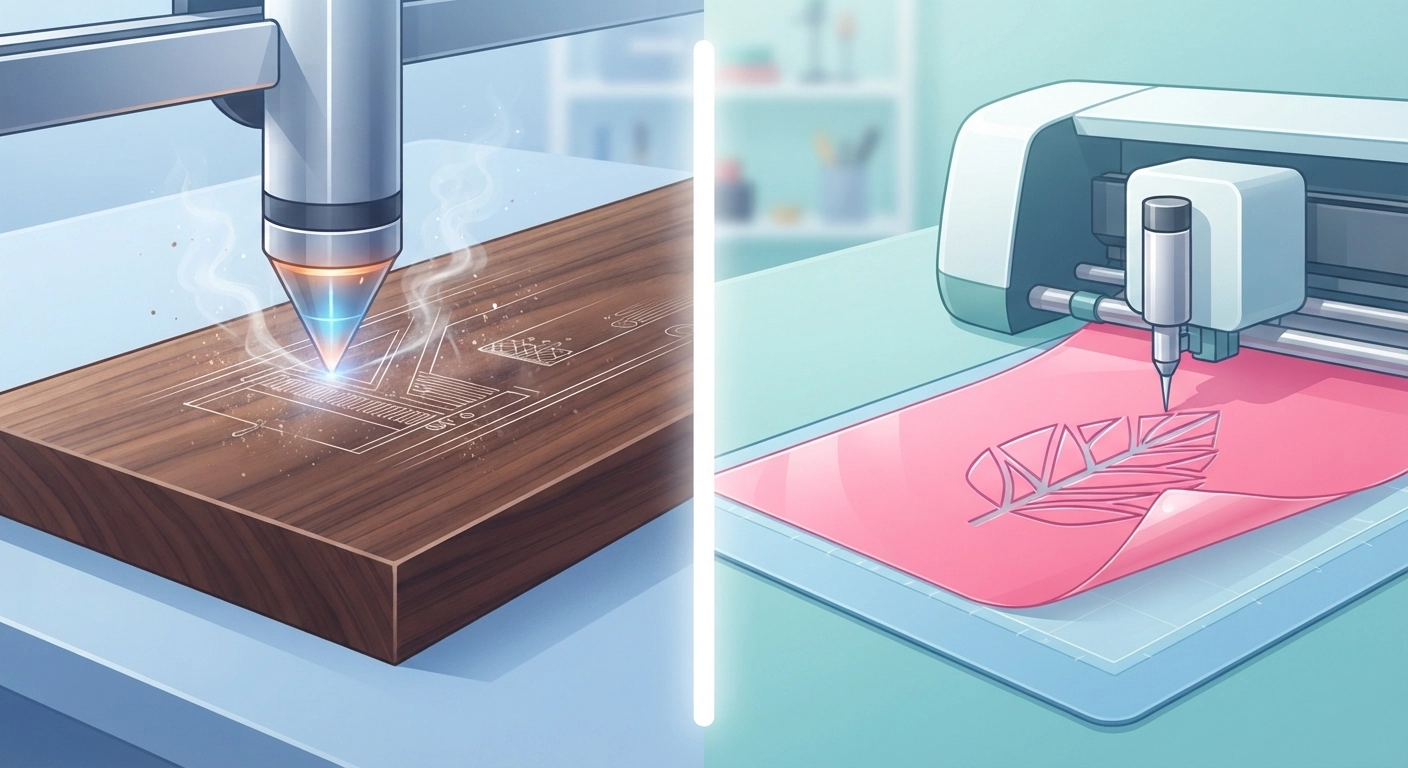
This is where the rubber meets the road. The biggest deciding factor in the glowforge vs cricut dilemma is what materials you plan to use for your products. Let’s break down the material superpowers of each machine.
Best Materials for Laser Cutting
Lasers are the undisputed champions of rigid, thick materials. A standard CO2 Glowforge can easily slice through 1/4-inch plywood, solid hardwoods, draftboard, and MDF. It leaves a distinct, darkened edge that many customers love for that rustic, handmade aesthetic.
But the real money-maker for laser owners is acrylic. You can cut beautifully intricate shapes out of cast or extruded acrylic, creating premium cake toppers, custom jewelry, and modern wedding signage. Furthermore, lasers can engrave. You can etch highly detailed photos into wood, engrave leather wallets, or even score custom designs onto glass and coated metals. The sheer premium feel of laser-cut products often allows you to charge significantly higher retail prices.
Best Materials for Blade Cutting
If your business model revolves around apparel, stickers, or paper goods, the blade cutter is your best friend. Cricut machines dominate the market for Heat Transfer Vinyl (HTV) and permanent adhesive vinyl. You can cut out a hundred custom t-shirt decals in minutes.
Here is a critical safety warning: You cannot cut standard vinyl with a laser. Most vinyl contains PVC. When a laser burns PVC, it releases chlorine gas, which is highly toxic to humans and will instantly corrode the metal components inside your machine. Therefore, if you want to sell custom apparel or car decals, the blade cutter wins the glowforge vs cricut battle by default.
The Verdict on Material Versatility
Think about your product catalog. Are you making delicate paper flower arrangements and custom baby onesies? Go with the blade. Are you making heavy wooden name signs for nurseries and engraved leather patch hats? Go with the laser.
Maybe physical products aren’t your only goal. You can easily diversify your income stream by adding digital downloads to your shop. Learn how to make digital planners to sell: 7 Critical Steps to Build a Profitable Etsy Shop in 2026 to create a passive income source that runs quietly in the background while you craft.
3. Software Ecosystems: Design Space vs. Web-Based App
Hardware is only half the story. You will spend a massive amount of your time inside the software that runs these machines. A clunky workflow can destroy your hourly profit rate.
Navigating the Blade Cutter’s Software
Cricut uses a proprietary program called Cricut Design Space. It is an app that you download to your computer, tablet, or phone. Design Space is incredibly beginner-friendly. It holds your hand through the entire process, telling you exactly which blade to load and when to press the go button.
However, many business owners find Design Space limiting. It can be buggy, and while it does have an offline mode, it relies heavily on cloud syncing. If you want access to their massive library of fonts and images, you have to pay a monthly subscription fee for Cricut Access. Most professional sellers eventually design their files in Adobe Illustrator or Canva, and simply use Design Space to send the cut commands.
Using the Laser Cutter’s Interface
Glowforge takes a different approach. There is no software to download; everything runs through a web browser. You log into the Glowforge app, upload your SVG or PDF file, and position it over a live camera feed of the material bed. This camera feature is a massive advantage in the glowforge vs cricut comparison—it allows you to use every tiny scrap of expensive wood or acrylic by visually placing your cuts exactly where you want them.
The downside? It requires a constant, stable internet connection. If your Wi-Fi goes down, your production stops completely. Additionally, Glowforge pushes a premium subscription model for advanced software features like adding text directly in the app or using their catalog of pre-made designs.
Designing for Profit
Regardless of which machine you choose, learning to create your own design files is the key to maximizing profits. Relying entirely on pre-made designs means you are selling the exact same thing as thousands of other crafters. Designing files can be tricky at first. If you prefer working with simpler design tools while you learn, check out our guide on How to Make Easy Printables Using Canva to build your digital design skills.
4. Pricing, Hidden Fees, and Ongoing Business Costs
Let’s talk numbers. When researching glowforge vs cricut, the initial price tag is usually the biggest shock factor, but you also need to calculate the ongoing costs of running the machine.
Upfront Investment
The barrier to entry for a blade cutter is incredibly low. You can purchase a brand new, top-of-the-line Cricut Maker 3 for around $400, or an older Explore model for under $250. This makes it an amazing, low-risk way to test the waters of an e-commerce business.
Lasers require serious capital. The entry-level Glowforge Aura (a diode laser) sits around $1,000. But if you want the speed and power of their CO2 machines, you are looking at $4,000 for the Plus model, and nearly $7,000 for the Pro model. If you don’t have a window to vent the exhaust, add another $1,000 for their proprietary air filter.
Maintenance and Consumables
Blade cutters require constant consumable replacements. You will regularly buy new cutting mats (they lose their stickiness over time) and replacement blades. While these are relatively cheap, they eat into your profit margins over the course of a year.
Lasers don’t use mats or blades, but they have their own hidden costs. You will need masking tape to protect the wood from burn marks, and lens cleaning wipes to keep the optics pristine. The biggest hidden cost? The laser tube itself. CO2 laser tubes degrade over time and usually need replacing every 2 to 4 years, which can cost hundreds of dollars.
Calculating Your Return on Investment (ROI)
As a business owner, you shouldn’t just look at the cost; you must look at the time to break even. The Small Business Administration recommends meticulously tracking your production costs to ensure profitability. Many business owners like to automate their pricing calculations. If you are building a custom spreadsheet, you might use a simple formula, or if you are a bit tech-savvy, a quick JavaScript function to calculate your profit margin based on machine time and material costs.
// A simple profit margin calculator for your DIY business
function calculateProfit(materialCost, machineTimeMinutes, hourlyRate, retailPrice) {
  const laborCost = (machineTimeMinutes / 60) * hourlyRate;
  const totalCost = materialCost + laborCost;
  const profit = retailPrice - totalCost;
  return profit.toFixed(2);
}

// Example: $5 materials, 15 mins machine time, $20/hr your wage, $45 retail price
console.log("Estimated Profit: $" + calculateProfit(5.00, 15, 20, 45.00));
If you need a low-cost business idea to help you generate cash flow while saving up for a high-end laser, read our tutorial on how to make easy scented candles: 7 Critical Steps You Must Know in 2026. It is highly profitable and requires very little upfront equipment investment.
5. Speed, Precision, and Production Capacity
Time is literally money when you are running a DIY business. The faster you can produce a high-quality item, the more items you can sell in a day. The glowforge vs cricut debate takes a sharp turn when we look at mass production.
Mass Production Capabilities
If you are cutting 50 simple vinyl decals for a corporate order, the blade cutter is incredibly fast. You load a long roll of smart vinyl, hit go, and the machine zips through the cuts in minutes. Lasers actually struggle a bit with large, simple shapes because the laser head has to travel back and forth across the entire gantry.
However, if you are cutting 50 intricate wooden keychains, the laser absolutely destroys the blade cutter in speed. A Cricut Maker using a knife blade to cut thin wood takes dozens of slow, agonizing passes to get through the material, and often frays the edges. A laser slices through 1/4-inch wood in a single, fast pass.
Detail and Accuracy
Both machines offer incredible precision, but lasers have a slight edge when it comes to micro-details on rigid materials. Because a laser beam is thinner than a human hair, it can cut incredibly sharp internal corners that a physical blade simply cannot pivot fast enough to achieve without tearing the material.
Noise, Space, and Ventilation Requirements
Let’s talk about the reality of running these machines in your home. A blade cutter is compact. You can store it on a shelf and bring it out to the kitchen table when you need it. It hums quietly while it works.
A laser cutter is a massive piece of machinery. The Pro model takes up a significant portion of a large desk. It requires a dedicated, permanent home because moving it risks throwing the delicate mirrors and optics out of alignment. Furthermore, when the exhaust fan kicks on, it sounds like a jet engine in your room. You must factor workspace logistics into your glowforge vs cricut decision.
6. Real-World Business Scenarios: Which One Wins?
Still on the fence? Let’s look at some practical, real-world business models to see how the glowforge vs cricut comparison plays out in action.
Scenario A: The Apparel and Paper Crafter
You want to sell custom bachelorette party t-shirts, personalized tumblers, and intricate paper party invitations. You work out of a small apartment and have a limited startup budget.
The Winner: Blade Cutter. The ability to cut HTV and adhesive vinyl quickly and safely makes this the only logical choice. The low startup cost means you reach profitability in weeks, not months.
Scenario B: The Premium Decor Maker
You want to sell custom layered acrylic signs for weddings, engraved leather patch beanies, and personalized wooden cutting boards. You have a dedicated garage space and a larger budget.
The Winner: Laser Cutter. The premium price tag of your products justifies the machine’s cost. The laser’s ability to cleanly cut acrylic and engrave wood gives you a massive competitive advantage in the high-end decor market.
Scaling Your DIY Business in 2026
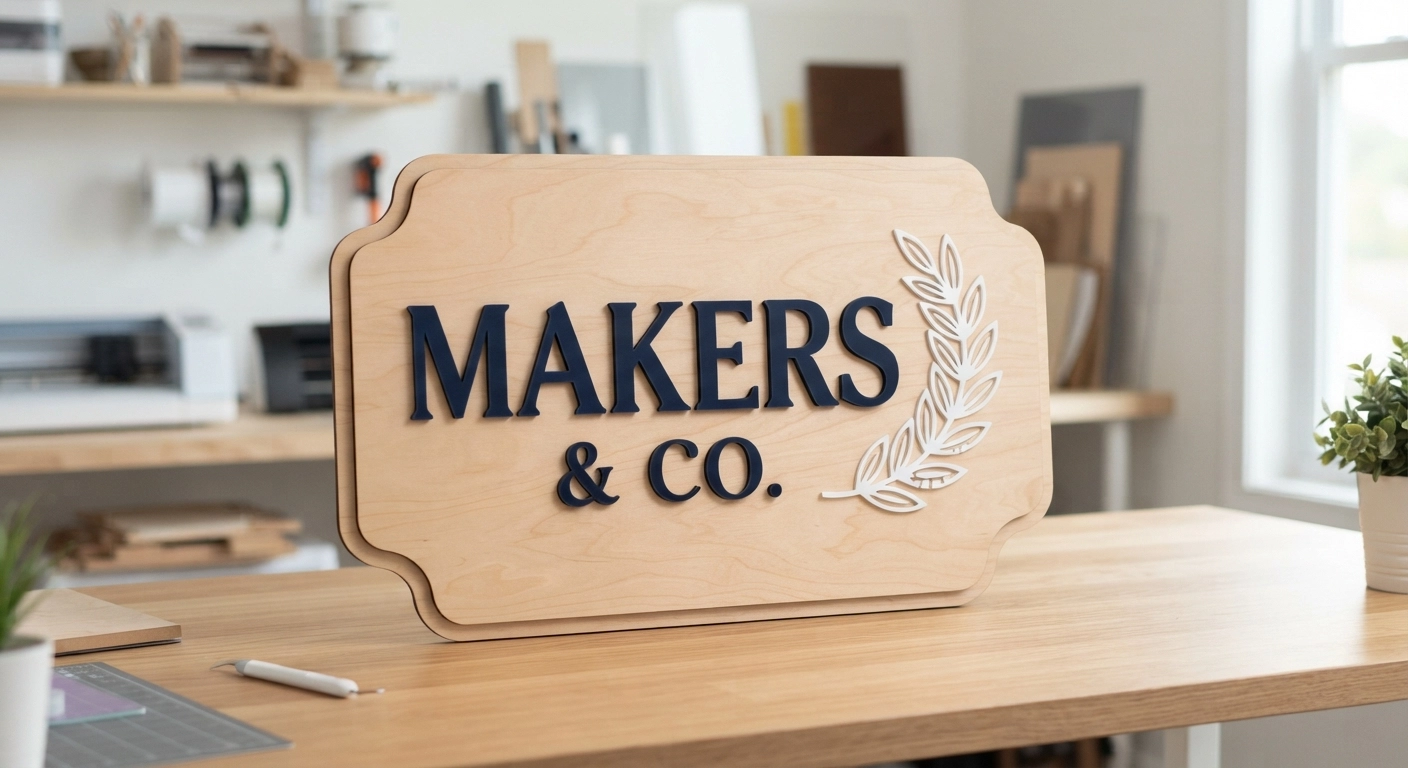
Here is a secret that successful shop owners know: eventually, you might want both. Many profitable businesses use a laser to cut their wooden sign backings and a blade cutter to quickly cut the vinyl lettering that goes on top. They complement each other perfectly. But when you are just starting, choose the machine that aligns directly with your primary product line.
7. The Final Verdict: Making Your Choice in 2026
Choosing between these two machines doesn’t have to be a stressful ordeal. The glowforge vs cricut debate is ultimately solved by answering two simple questions: What materials do you want to cut, and what is your starting budget?
If you are bootstrapping your business and want to focus on apparel, decals, and paper goods, start with a blade cutter. It is a low-risk, high-reward entry into the e-commerce world. If you have the capital to invest and want to dominate the premium market with thick wood, custom acrylics, and detailed engravings, the laser is your ultimate tool.
Whichever path you choose, remember that the machine is just a tool. Your creativity, marketing, and business strategy are what will actually drive your sales. Get your equipment, learn the software, and start building your empire today.
Frequently Asked Questions (FAQ)
As you narrow down your glowforge vs cricut decision, you probably still have a few specific questions. Here are the answers to the most common queries we get from new business owners.
Can a Cricut do everything a Glowforge can do?
No, it cannot. While high-end blade cutters can cut thin, soft woods like balsa using a knife blade, they cannot cut thick hardwoods, plywood, or acrylic. They also cannot engrave materials with the same depth and permanent burn aesthetic that a laser provides. Most importantly, blade cutters cannot safely process materials without a sticky mat.
Which machine is cheaper to maintain for a business?
Generally, a blade cutter is cheaper to maintain on a month-to-month basis. You only need to replace relatively inexpensive blades and cutting mats. A laser requires less frequent maintenance, but when components like the laser tube or the specialized air filter cartridges need replacing, the cost is significantly higher, often running into hundreds of dollars.
Do I need special ventilation for these machines?
This is a crucial point in the glowforge vs cricut comparison. Blade cutters require absolutely no ventilation; they are completely safe to use in a closed room. Laser cutters generate actual smoke and toxic fumes when burning materials. You must either vent the exhaust hose out of a window or purchase a heavy-duty, expensive air filtration unit.
Is the Glowforge Aura a direct competitor to the Cricut Maker?
Yes and no. The Aura is a diode laser designed for crafters, bridging the gap between blades and high-powered CO2 lasers. It is much slower than a CO2 laser and cannot cut clear or white acrylic (the diode laser beam passes right through it). However, it is a great stepping stone if you want laser capabilities for wood and dark acrylics without spending $4,000.
Can I use both machines for the same business?
Absolutely. In fact, many successful Etsy shops use both. A common workflow in the glowforge vs cricut ecosystem is using the laser to cut out a blank wooden or acrylic shape, and then using the blade cutter to quickly cut out intricate vinyl lettering to apply on top of the blank. They are highly complementary tools.
Are the software programs free to use?
Both machines have free base software required to operate them. However, both companies heavily push premium monthly subscriptions (Cricut Access and Glowforge Premium) that unlock additional fonts, pre-made designs, and advanced editing tools. You can run a successful business without these subscriptions by creating your own designs in free software like Inkscape or Canva.