how to make svg files to sell: 9 Critical Steps to Build a Profitable Etsy Shop in 2026
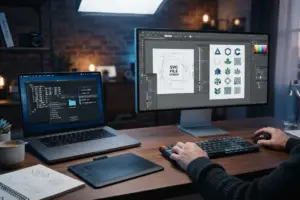
- how to make svg files to sell: 9 Critical Steps to Build a Profitable Etsy Shop in 2026
- 📋 Key Takeaways
- Table of Contents
- Why Learn how to make svg files to sell Right Now?
- Choosing the Right Vector Software for Your Business
- Adobe Illustrator (The Industry Standard)
- Inkscape (The Best Free Alternative)
- Affinity Designer (The Middle Ground)
- What About Canva?
- Step-by-Step: Designing Your First Cut File
- 1. Conceptualizing and Niche Research
- 2. Drawing or Using Typography
- 3. Converting Text to Paths
- The Secret to Clean Nodes and Machine-Ready Files
- Welding Overlapping Letters
- Grouping and Compound Paths
- Packaging Your Digital Downloads for Customers
- Listing, Pricing, and Etsy SEO Strategies
- Creating Listing Images (Mockups)
- Writing Your Description and SEO
- Pricing Your Digital Files
- Troubleshooting Common Customer Issues
- Ready to Launch Your Digital Empire?
- Frequently Asked Questions
- Do I need to own a Cricut or Silhouette machine to sell SVGs?
- Can I use Canva to make SVGs for Etsy?
- How do I protect my SVG designs from being stolen?
- Do I need a commercial license for the fonts I use?
- Why does my SVG look like a black box when uploaded to Cricut?
Imagine sitting at your desk, sipping your morning coffee, and checking your phone only to see three new Etsy sale notifications. You haven’t packed a single box, printed a shipping label, or driven to the post office. That is the absolute magic of creating digital products. If you are wondering how to make svg files to sell, you are in exactly the right place. The demand for scalable vector graphics has skyrocketed, driven by the massive popularity of home cutting machines and laser engravers.
Crafters around the world are constantly searching for fresh, unique designs to put on t-shirts, mugs, wooden signs, and tumblers. They have the hardware, but they need your digital artwork to bring their projects to life. Learning how to make svg files to sell is not just about drawing pretty pictures; it is about engineering clean, usable files that a machine can read perfectly. In this comprehensive guide, we are going to walk through the exact blueprint you need to go from a blank canvas to a profitable digital storefront in 2026.
📋 Key Takeaways
- Understanding the technical difference between standard images and vector graphics is the foundation of your success.
- Choosing the right vector software (like Illustrator or Inkscape) dictates the quality of your final cut files.
- Clean nodes and welded paths are non-negotiable if you want five-star reviews from Cricut and Silhouette users.
- Properly packaging your designs into ZIP files with multiple formats (SVG, PNG, DXF, EPS) increases your market reach.
- Protecting your shop by checking for trademarks before listing prevents account suspensions.
Why Learn how to make svg files to sell Right Now?
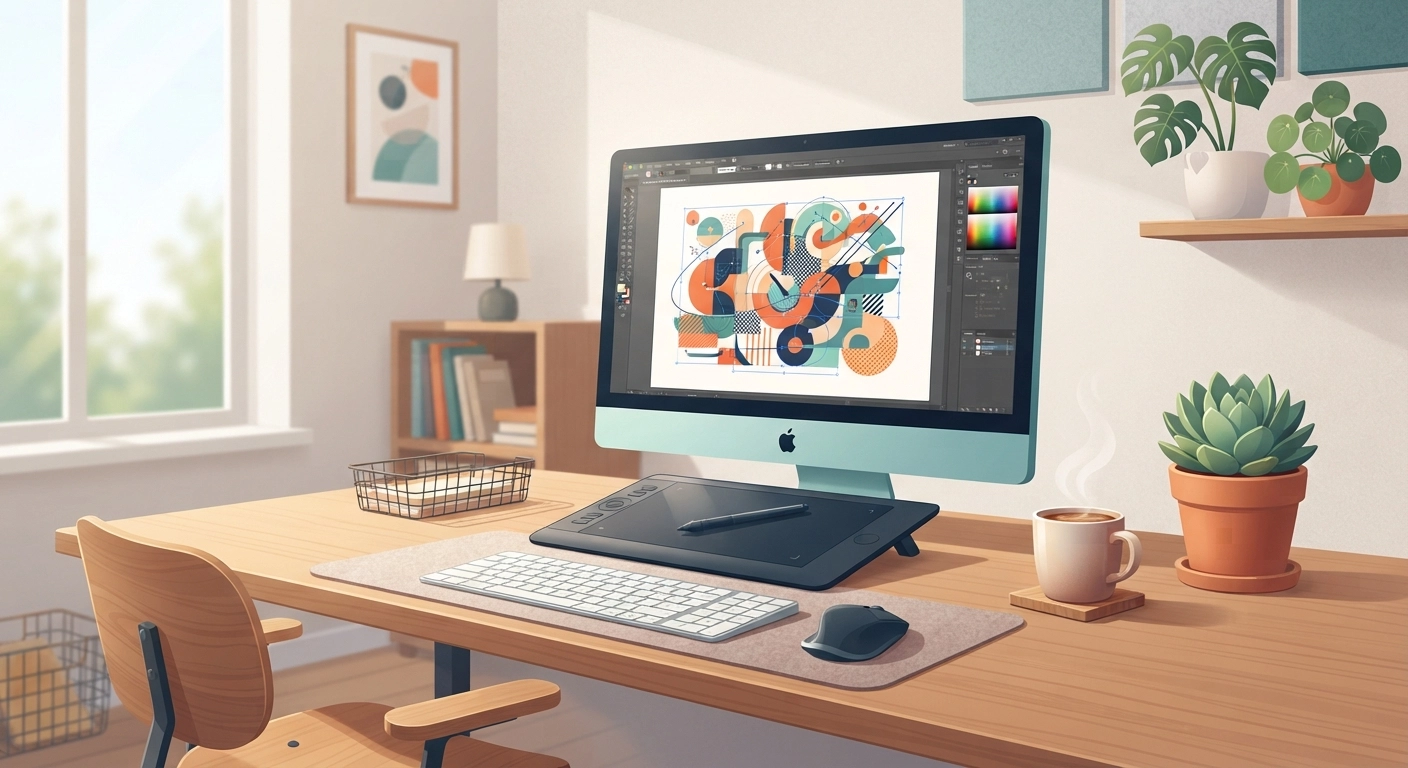
Let’s look at this practically: the crafting industry has evolved. Gone are the days when crafting meant just scissors and glue. Today, millions of hobbyists and small business owners use sophisticated machines. Whether they are cutting vinyl, cardstock, or engraving wood, these machines require specific file types to tell the blade or laser exactly where to go.
If you want a deeper understanding of the hardware your customers are using, check out our detailed breakdown on glowforge vs cricut: 7 Critical Differences You Must Know for Your DIY Business in 2026. Knowing the difference between a blade cutter and a laser engraver will drastically improve how you design your files.
When you master how to make svg files to sell, you are tapping into a highly scalable business model. You create the design once, and it can sell ten, a hundred, or ten thousand times with zero additional inventory cost. According to recent e-commerce trends, digital downloads remain one of the highest-margin online businesses available. Unlike physical DIY Crafts to Make and Sell, SVGs require no shipping, meaning you can serve a global customer base instantly.
Choosing the Right Vector Software for Your Business
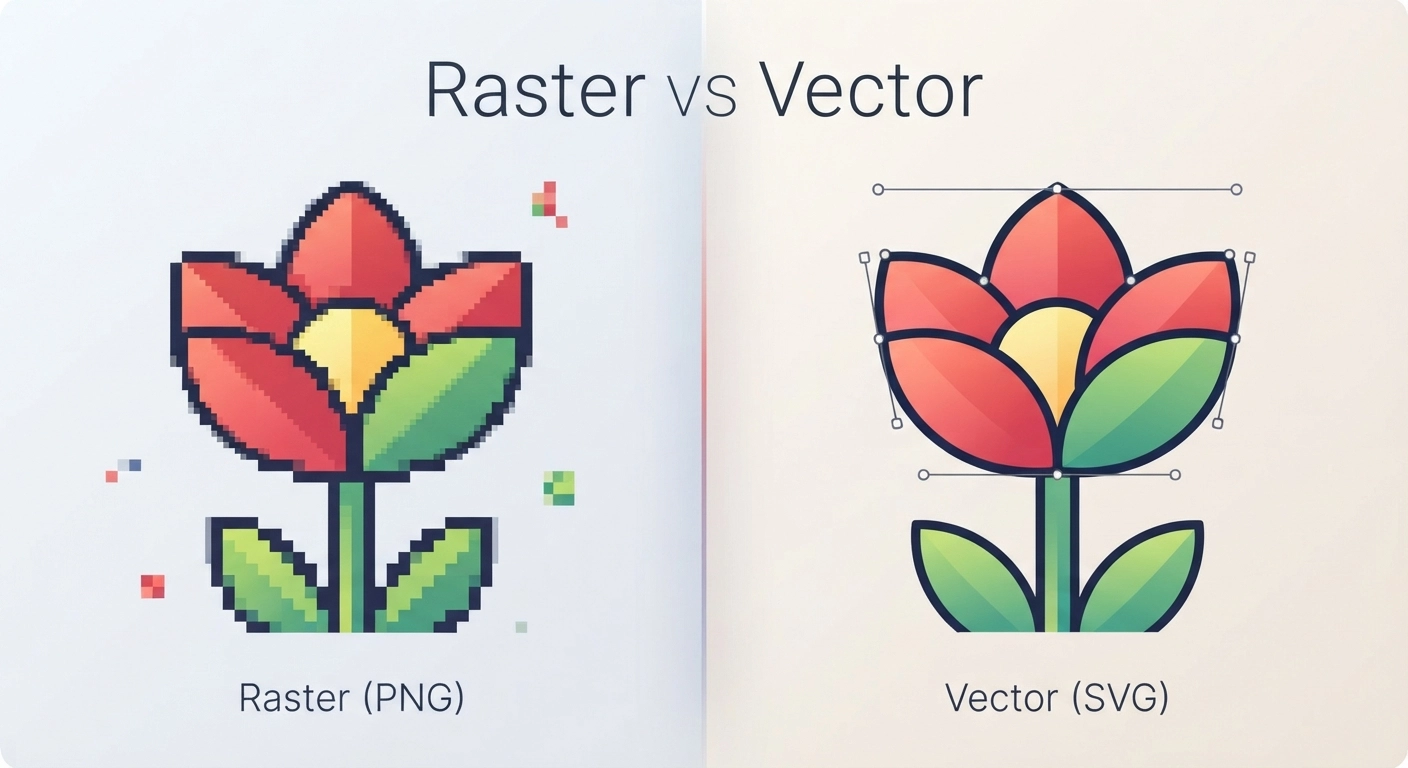
You cannot create a true SVG file in standard photo editing software like Microsoft Paint or basic Photoshop. SVG stands for Scalable Vector Graphic. Instead of being made of tiny colored squares (pixels) like a JPEG or PNG, an SVG is made of mathematical equations—points, lines, and curves. This means it can be scaled to the size of a billboard without losing any quality. You can read more about the technical specifications of vector graphics on the Wikipedia SVG page.
Here is the fun part: picking your digital weapon of choice.
Adobe Illustrator (The Industry Standard)
If you are serious about figuring out how to make svg files to sell professionally, Adobe Illustrator is the gold standard. It offers the most robust set of tools for manipulating vectors, specifically the Pathfinder tool and the Shape Builder tool. Yes, it comes with a monthly subscription fee, but the time it saves you in workflow efficiency often pays for itself after your first few sales.
Inkscape (The Best Free Alternative)
Not ready to invest money yet? Inkscape is a completely free, open-source vector graphics editor. It has a slightly steeper learning curve than Illustrator, but it is incredibly powerful. Many top Etsy sellers built their entire six-figure shops using nothing but Inkscape. It handles node editing beautifully and exports clean SVG files.
Affinity Designer (The Middle Ground)
Affinity Designer is a brilliant piece of software that offers a one-time purchase fee rather than a subscription. It has a sleek interface, excellent iPad support, and handles vector creation flawlessly. It is rapidly becoming the favorite tool for digital product creators who hate monthly bills.
What About Canva?
We often get asked if Canva is good for this. While we love Canva for many things—and you can learn exactly How to Make Easy Printables Using Canva—it is not the best dedicated tool for creating complex, multi-layered cut files. Canva can export as an SVG, but you have very little control over the vector nodes, which can lead to messy cuts for your customers.
Step-by-Step: Designing Your First Cut File
Now that you have your software, let’s get into the actual creation process. Figuring out how to make svg files to sell involves a specific workflow to ensure the end user has a seamless experience.
1. Conceptualizing and Niche Research
Do not just guess what people want to buy. Use the Etsy search bar to find popular niches. Are people looking for “funny coffee mug SVG,” “first birthday shirt SVG,” or “wedding welcome sign SVG”? Find a gap in the market.
Crucial Warning: Always check the USPTO Trademark Database before creating text-based designs. Phrases like “Boy Mom” or “Dog Mom” are often heavily trademarked. Selling trademarked designs will get your Etsy shop shut down permanently.
2. Drawing or Using Typography
Start simple. Let’s say you are making a text-based design for a t-shirt.
Type out your phrase using a commercially licensed font. (Never use standard system fonts unless you have checked their commercial usage rights). Arrange the text so it looks visually appealing. Use varying font weights—maybe a bold sans-serif paired with a sweeping script font.
3. Converting Text to Paths
This is the most critical step in understanding how to make svg files to sell. A cutting machine cannot read a “font.” It can only read shapes.
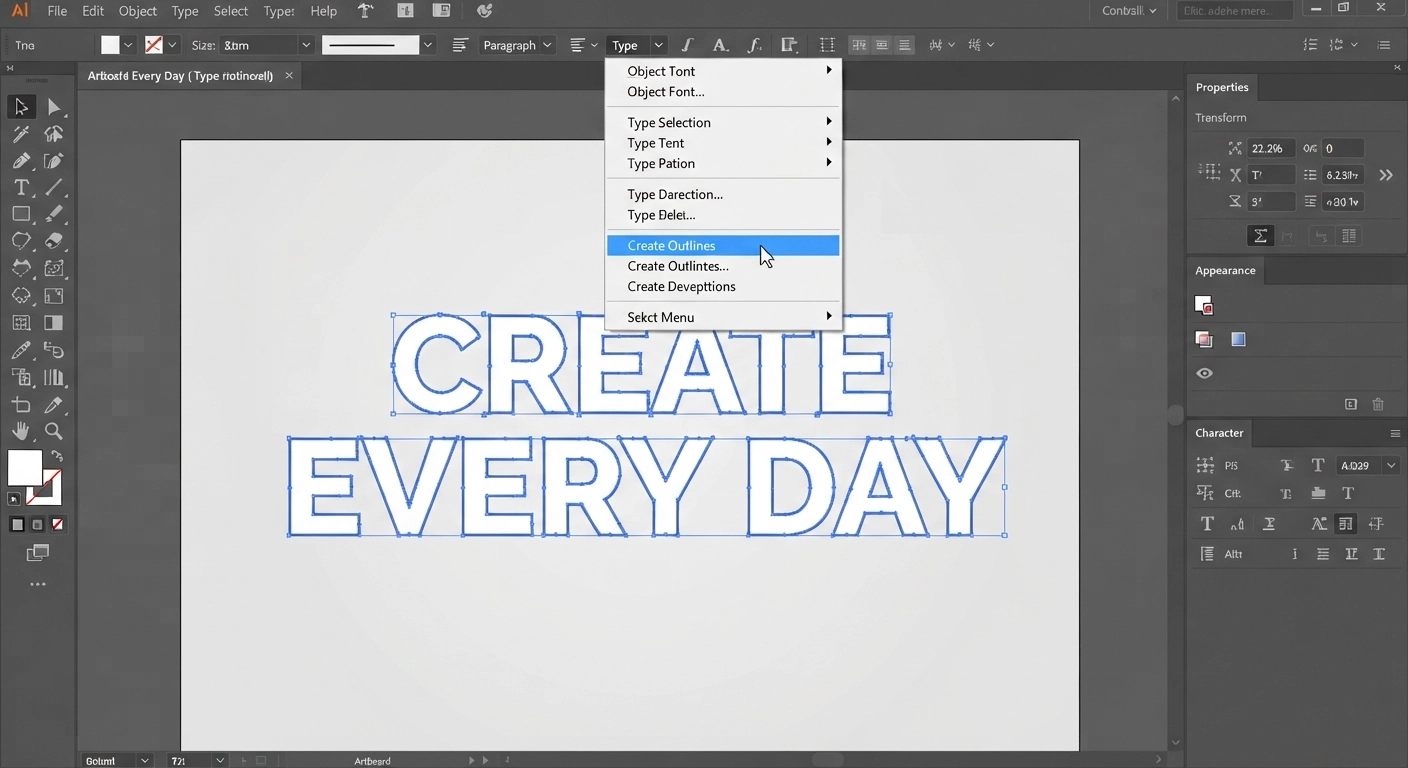
If you are using Illustrator, you must select your text, right-click, and choose “Create Outlines.”
If you are using Inkscape, select the text and go to Path > Object to Path.
This transforms your editable text into fixed vector shapes with anchor points (nodes).
The Secret to Clean Nodes and Machine-Ready Files
If you want to know the difference between an amateur shop and a professional one, it all comes down to node management. When crafters buy your file, they expect it to cut smoothly.
Welding Overlapping Letters
When you use a script (cursive) font and convert it to outlines, the tail of one letter overlaps the beginning of the next. If you leave it like this, the Cricut blade will literally cut out every single letter individually, slicing right through the overlapping parts. Your customer’s vinyl will be ruined.
To fix this:
- In Illustrator: Open the Pathfinder panel and click “Unite.” This melts all the overlapping letters into one solid, continuous shape.
- In Inkscape: Go to Path > Union.
Grouping and Compound Paths
Imagine you designed a smiley face. It has a yellow circle for the face, and black circles for the eyes. When a customer imports this into Cricut Design Space, you want the eyes to stay in exactly the right position relative to the face.
If you don’t group or create compound paths, the cutting software will scramble the pieces to save vinyl space.
By selecting all elements of the same color and making them a “Compound Path” (Object > Compound Path > Make in Illustrator), you lock their spatial relationship. This attention to detail is exactly how to make svg files to sell that generate repeat customers.
Packaging Your Digital Downloads for Customers
You have designed a beautiful, clean, welded vector file. Are you done? Not quite. A professional digital product seller doesn’t just provide an SVG. Different machines and software versions require different file types.
To provide maximum value, you should export your design in four formats:
- SVG: For Cricut Design Space, Silhouette Studio Designer Edition, and Glowforge.
- DXF: For users who have the free, basic version of Silhouette Studio (which cannot open SVGs).
- EPS: For users who want to edit the file in professional software like CorelDraw or Illustrator.
- PNG: A high-resolution (300 DPI) image with a transparent background. This is used for sublimation printing, iron-on transfers, and print-then-cut projects.
Once you have exported these four files, select them all, right-click, and compress them into a single ZIP folder. Etsy allows you to upload up to 5 files per listing, but providing one neat ZIP file named CoffeeLoverBundle.zip is much more professional.
Listing, Pricing, and Etsy SEO Strategies
Now it is time to put your product out into the world. Setting up your Etsy listing correctly is just as important as the design itself.
Creating Listing Images (Mockups)
Nobody buys a digital file just by looking at the black-and-white vector lines. You need to show them what the final physical product will look like. Use mockup generators or purchase blank mockup photos (like a blank t-shirt on a wooden table). Overlay your PNG design onto the t-shirt to show its potential. Add a watermark to your mockup so people cannot simply right-click and steal your design.
Writing Your Description and SEO
Etsy is a search engine. When someone types “boho rainbow SVG,” Etsy looks at your title, tags, and description to see if you are a match.
Make sure your title is descriptive: Boho Rainbow SVG, Muted Rainbow Cut File, Cricut Silhouette PNG, Nursery Decor Vector.
Clearly state in the first line of your description that this is a DIGITAL DOWNLOAD and no physical item will be shipped.
Pricing Your Digital Files
Pricing can be tricky. You want to be competitive but not devalue your work. Single SVG files typically sell for $1.50 to $3.50, while bundles can sell for $5.00 to $15.00. If you are struggling with the psychology of pricing your work, we highly recommend reading our comprehensive guide on How to Price Your DIY Crafts for Etsy: A Beginner’s Guide. The principles of perceived value apply heavily to digital goods as well.
Troubleshooting Common Customer Issues
When you learn how to make svg files to sell, you also need to learn how to be a customer service representative. Digital files can confuse beginners. Here are the most common messages you will get, and how to handle them gracefully.
“My computer says your file is a web page!”
This is the number one question you will receive. Because web browsers (like Chrome or Edge) use SVGs to display web graphics, a Windows computer will often assign the Microsoft Edge icon to an SVG file. The customer thinks you sent them an HTML link.
The Fix: Politely tell them to ignore the icon. Ask them to open Cricut Design Space first, click “Upload,” and select the file from there. It will load perfectly.
“The file says it’s unsupported.”
Usually, this means the customer is trying to upload the entire ZIP folder into their cutting software.
The Fix: Remind them they need to “Extract” or “Unzip” the folder first before trying to upload the individual SVG file inside.
“The design is tiny when I open it.”
Sometimes, vector software exports files at different scale ratios.
The Fix: Ensure you are designing on a standard artboard size (e.g., 12×12 inches) and that “Responsive” is unchecked in your SVG export settings (especially in Illustrator).
Ready to Launch Your Digital Empire?
Mastering how to make svg files to sell is one of the most empowering skills you can learn in 2026. It bridges the gap between artistic creativity and technical precision. By choosing the right software, understanding the importance of clean nodes and welded paths, properly packaging your formats, and optimizing your Etsy listings, you are setting yourself up for a sustainable stream of passive income.
Remember, every massive Etsy shop started with just one single design. Your first file might take you three hours to perfect, but your tenth will take thirty minutes. Consistency is the key to digital product success.
If you are looking to expand your digital product empire beyond just cut files, taking your vector skills and applying them to organizational tools is incredibly lucrative. Check out our step-by-step tutorial on how to make google sheets budget tracker to sell: 7 Critical Steps to Build a Profitable Product in 2026 to add another high-demand product line to your passive income portfolio!
Frequently Asked Questions
Do I need to own a Cricut or Silhouette machine to sell SVGs?
No, you do not strictly need to own a cutting machine to learn how to make svg files to sell. As long as you follow the technical rules of vector design (welding paths, closing nodes), your files will work. However, having a machine to test your designs is highly recommended to ensure quality control.
Can I use Canva to make SVGs for Etsy?
While Canva Pro allows you to export designs as SVGs, it is not recommended for complex cut files. Canva does not give you access to node editing or path welding, which often results in overlapping cut lines that ruin vinyl projects. Dedicated vector software like Illustrator or Inkscape is much better.
How do I protect my SVG designs from being stolen?
Unfortunately, digital theft happens. To protect your work, always watermark your listing images heavily. Never upload the raw SVG file as a display image. Additionally, you can include a polite but firm licensing agreement in your ZIP file stating that the design cannot be resold digitally.
Do I need a commercial license for the fonts I use?
Yes, absolutely. If you use a font to create a design that you intend to sell, you must purchase a commercial license for that font. Websites like Creative Fabrica or Font Bundles sell fonts specifically with commercial usage rights included.
Why does my SVG look like a black box when uploaded to Cricut?
This usually happens if you have an unclosed path or if a stroke was not properly expanded into a shape. Always make sure to ‘Expand Appearance’ or ‘Convert to Outlines’ for all strokes and text before saving your final SVG file.